
Lumo Player – Media Player
Android
Web Browsers
Smart TVs

What is a Lumo Player?
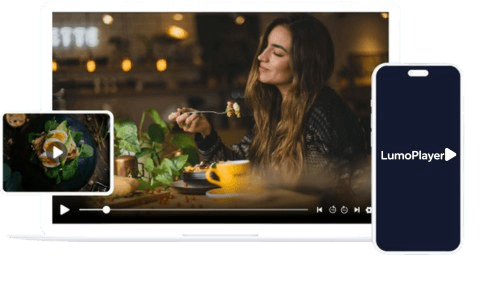
Lumo Player is a powerful and versatile media player that delivers a smooth and high-quality viewing experience across multiple platforms. Designed for seamless usability, it supports a wide range of formats, including M3U and JSON playlists, enabling users to play their personally owned media from both local storage and remote sources. Whether for video-on-demand, or audio playback. Lumo Player provides a reliable, high-performance media experience without interruptions.
Features Overview

Support Movies and Series Streaming

Support - Parental Control

Multiple Playlist Supported


Support: Add to Favourite

Fully Customizable App
give a personalized look.

Whitelabel Platform
Increase brand value massively by
white labelling app services with
content origination.
How to install Lumo Player?
Step 1
Go the Google Play Store or Direct link: Download App
Step 2
Access the app by logging in using your subscription credentials (Get these credentials from your service provider)
Step 3
After Login >> Once you’ve logged in, you can access exclusive features by upgrading to the Premium version.
Note: We don’t provide or Sell any Subscriptions, Stream and Content. We are a Software Development Company.
Step 1
Go the Apple App Store or Direct link: Download App
Step 2
Once on the homepage, you will find Windows Setup file for Lumo Player.
Step 3
Open the downloaded .exe file.
Step 4
If you see a security warning, click More Info and then Run Anyway to proceed.
Step 5
Follow the on-screen prompts to complete the installation
Step 6
Open the app and use your login credentials to log in and start exploring the app’s features.
Coming Soon
Coming Soon

Upgrade to the Premium Version of Lumo Player
Upgrading to the Premium Version of our application is intended solely to unlock enhanced features and functionality. It does not include access to any media content, streaming services, or content subscriptions of any kind.
Note : We do not host, provide, sell, or distribute any media or third-party content. All content used within the app is solely provided by the client or end user.
Hear from what others had to say.
FRAUD AWARENESS
We want to alert our users that some websites are illegally copying the Lumo Player name, branding, and content to mislead customers by falsely offering IPTV subscriptions and packages.
- Lumo Player is strictly a media player app.
- We do NOT provide or sell any IPTV services or channel packages.
To ensure you’re accessing the official Lumo Player platform, please make sure the website URL starts with: https://www.lumoplayer.com/
Before making any assumptions or engaging with a third-party claiming affiliation:
-
Double-check the domain name
-
Look for a secure SSL certificate (https://)
-
Contact our official support team for verification
Frequently asked questions
Does the Lumo Player app provide any content?
Does Lumo Player support Android devices?
Yes, Lumo Player supports both Android Phones and Android TVs. You can install it via the Google Play Store or through the APK file if needed.
Can I use Lumo Player on my Windows computer?
Yes, Lumo Player offers a dedicated Windows app that you can download from our official website.
Does Lumo Player have a Web App?
Yes, Lumo Player offers a convenient Web App, allowing you to stream content directly from your browser without installing any software.
Can I use the same account across different devices?
Yes, you can use your Lumo Player account on multiple supported devices, ensuring a seamless experience across platforms.
What is Lumo Player: A Complete Overview
Lumo Player is a powerful and flexible media player designed to deliver a smooth, high-quality streaming experience across all major platforms.
Compatible Device
- Android TV, Android Phones
- iPhone, iPad.
- Apple TV
Features Overview
- Add to Favorites Support
- Supports Multiple Playlists
- Support: Local or Network Stream ( Local or Remote Playlist)
- Support – Parental Control
Disclaimer : We do not sell, distribute, or provide any media content, streaming services, or subscription-based access to third-party content. Our application is solely a media player designed to facilitate the playback of legally acquired content by users. We do not endorse or support any form of copyright infringement or unauthorized streaming. Users are responsible for ensuring compliance with applicable copyright laws when using this application.
Due to business strategy and regional compliance considerations, this application is not available in India.
